

How your migration works
A simple, done-for-you process. You send us your website address — we handle the technical work and keep you in control at every step.
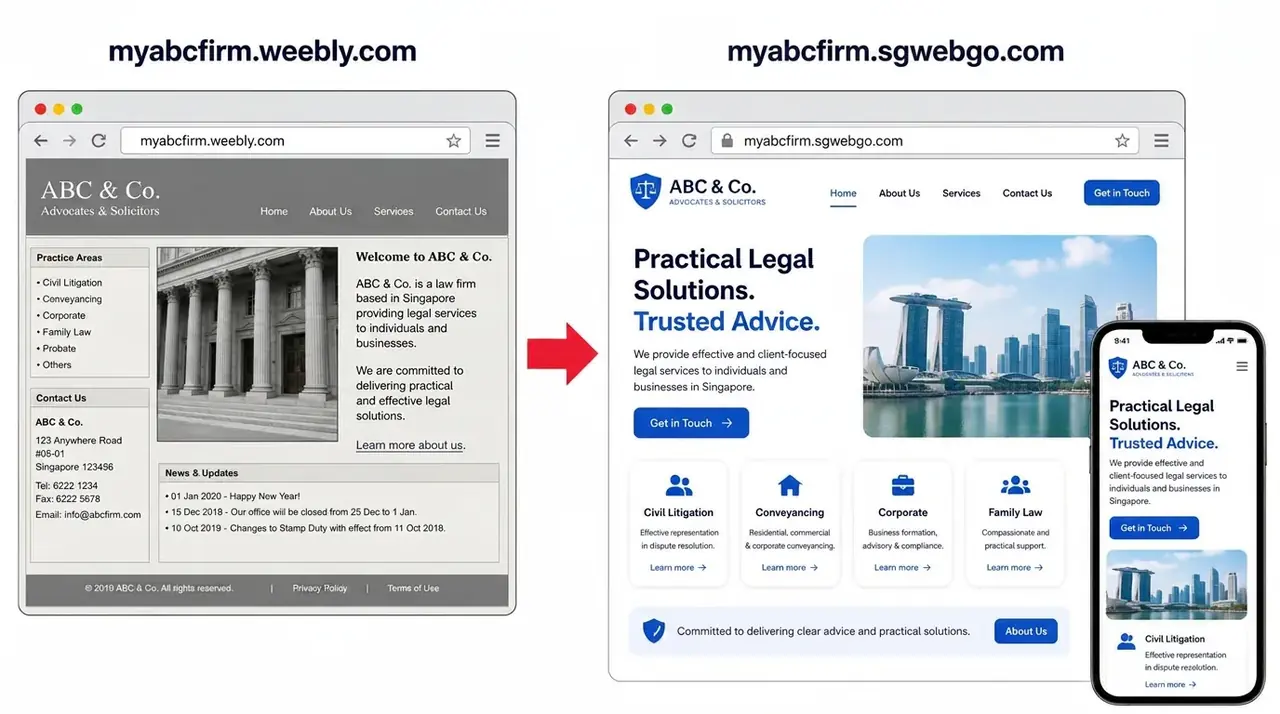
myabcfirm.weebly.com → myabcfirm.sgwebgo.com — your site name stays the same. If you already use your own domain (myfirm.com), it stays exactly the same after migration.
What is included — and what is an add-on
- SGWebGo URL and Connect Domain: you get the same website — same design, same pages, same content. Only the address changes (yourfirm.weebly.com becomes yourfirm.sgwebgo.com), or your own domain is connected and stays exactly as it is.
- Connect + Modernise: same concept, same framework and the same pages as your Weebly site, with a refreshed modern design applied on top.
- SEO, AEO and GEO: applies only to the Connect + Modernise plan and Custom Website / Advanced Features plans.
- Anything else — new pages, rewritten content, e-commerce, bookings, integrations, branding or a full redesign — is treated as an add-on and quoted separately before any work starts.
1. Check your website
Enter your current Weebly address in our lookup tool. If your business is in our Singapore records, we show your company name, address and industry straight away so you know we have the right site.
- Instant match against Singapore Weebly records
- No sign-up needed to check
- Free subdomain suggested for you
2. Choose your new address
Claim a free yourname.sgwebgo.com address, or tell us about the custom domain you already own, already have connected, or would like help buying. Your site name stays the same — only weebly.com becomes sgwebgo.com.
- Live availability check
- Free .sgwebgo.com address included
- Custom domain supported
3. Send your request
Fill in a short form with your contact details, choose Keep (same site, new address) or Modernise, and confirm you are authorised to move the website. Our team receives it immediately.
- Takes about two minutes
- No payment needed to request
- Reference number issued instantly
4. We rebuild your site
Our Singapore team rebuilds your site like for like — same design, same pages, same text and images — on modern hosting with free SSL and backups. On the Modernise plan we keep the same concept, framework and pages, and refresh the design.
- Same site, same content, new address
- Free SSL, backups and mobile-ready hosting
- SEO, AEO and GEO structure on Modernise and Custom plans only
5. You review the preview
We send you a private preview link. Tell us what to change and we adjust it. Nothing goes live until you say so.
- Private preview link
- Revisions included
- You stay in control
6. Go live and stay supported
We switch your new address on and keep it running — hosting, SSL, backups and support are included in your yearly fee.
- Same-day switch-on
- Ongoing hosting and SSL
- WhatsApp and email support
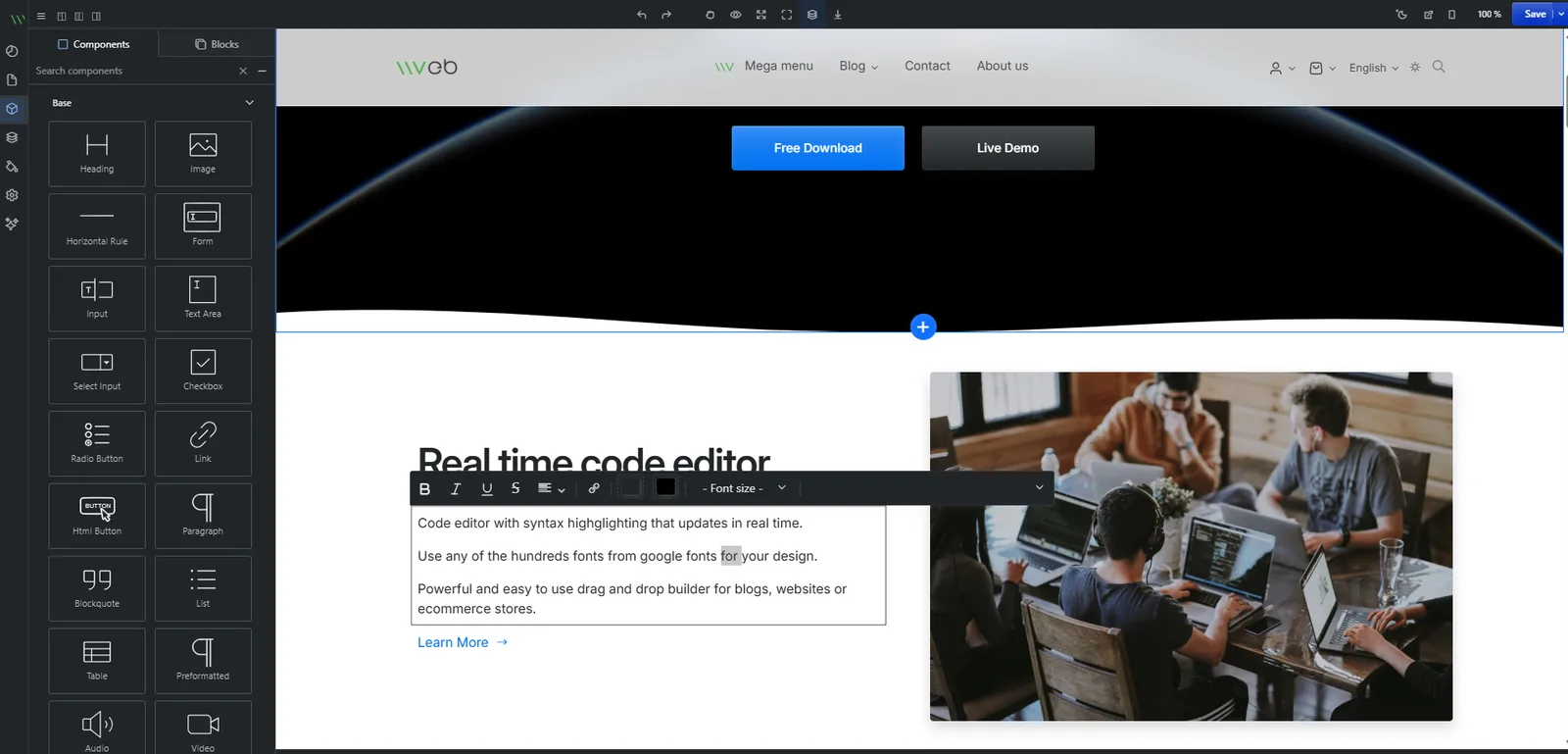
Manage your site with AI
Every migration includes a modern, easy-to-use CMS editor so you can update your site yourself. It works like Weebly — but is much simpler — with AI-powered, prompt-based updates. Just describe the change you want and the editor handles it.
- Included on every plan at no extra charge
- Edit text, images, pages and forms from any device
- AI assistant to update content, add sections and refine design
- Login activated after your migration request is submitted
See a real site built with the modern SGWebGo editor
Open the live demo website, then log in to the admin editor with the demo account below and try the AI-powered, prompt-based editing yourself.
Demo ID
demouser
Demo password
demopassword
Demo account only — changes you make there are for testing and may be reset at any time.
Ready when you are
Most migrations are completed within a few working days of your approval.